Correct set-up of Skype so other can't access your meetings
How to prevent others from showing up unexpectedly in your Skype meetings.
Problem
Some have experienced that others have entered their (confidential) SKYPE-meetings - typically if there is a meeting immediately after. It is not due to overload or error, but that the individual user must change or check something in his/her setup.
Correct it this way
- Create "New Meeting"
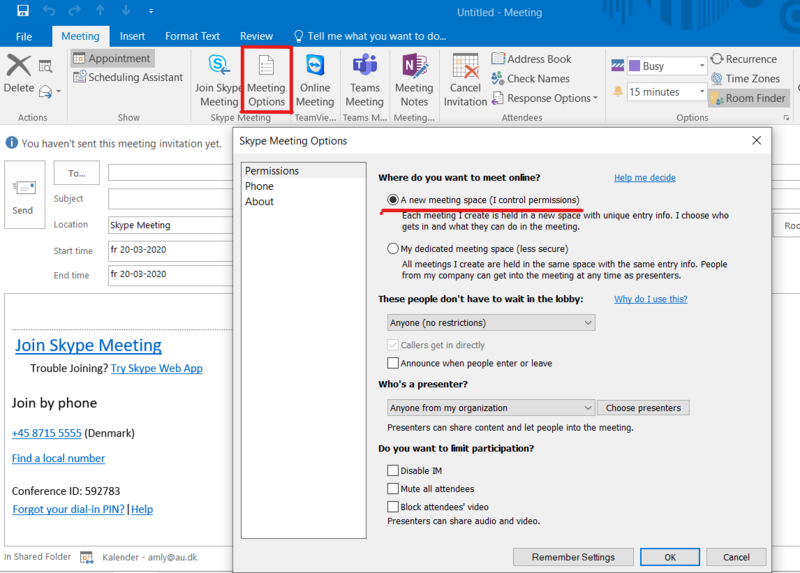
- Press the "Skype meeting" button - and Skype Meeting Options button now appears on the right.
- Press “Meeting Options” and then follow the instructions in the picture below.
The problem is that the person who convenes the meeting did not do as shown in the picture below.
By selecting "A new meeting space" you get a new meeting room for each appointment in the calendar. Below you can also set various permissions for who must be "presenter" of the meeting - for example, the person doing the inviting, does not necessarily have to be the organiser or presenter.
